
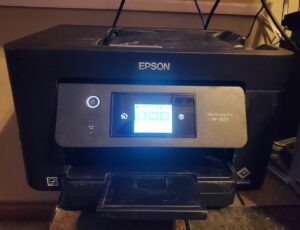
 Printers have been part of computing for over 60. During that span, the printer has changed and evolved into multiple iterations. From the old school dot matrix printers, which are still around to more modern types like inkjet printers, laser printers, and even 3D printers, the choices for a printer available to consumers has increased dramatically.
Choosing a printer for your needs can be a difficult choice to navigate. This article will discuss a large selection of printers and hopefully start you on the correct path to buying the printer you need.
Ongoing issues such as raw material shortages, factory fires, natural disasters, and Covid-19 Have contributed to a global chip shortage. Some manufacturers such as Canon and HP discontinued the use of chips on their cartridges, especially during the height of the Covid-19 pandemic and provided a “workaround” so that their printers could use a 3rd party cartridge. This was facilitated by a firmware update and there is the probability that the firmware update will be rolled back as the chip shortage lessens. While the chips can be used to monitor toner and ink levels this also allows the manufacturers to corner the market on toner and ink which causes exuberant prices and is just another way to cheat consumers.
All-in-one Printers
It prints, copies, scans, and it faxes. It does everything your small business or home office needs it to do. Ok, so maybe we sound a little like a used car salesman there but these printers are cool! Versatile yet affordable All-In-One printers appeal to many consumers. Pricing and features run the gambit, so we are looking at a wide array of all-in-one printers ranging from a couple of hundred dollars up into the thousands, and with features that the work from home consumer wants and needs, to features that are perfect for that giant all-in-one printer in the office that takes up a whole room and costs half a years salary. (No lie, it takes up an entire room!) We would love some feedback on all-in-one printers! If you have some knowledge about or experience using one of these printers, you can submit feedback through the form at the bottom of the page. So far, here is what we have for the Article about all-in-one printers. It’s not much, but we have to start somewhere.
Supertank Printers
Supertank printers, such as the Epson Ecotank and the Canon Megatank are great printers for businesses small and large which have large printing requirements. While the initial costs can be more than that of the typical cartridge inkjets printer these special Continuous Ink System or CISS printers allow you to print thousands of pages at a fraction of the cost of a cartridge. Supertank printers use an ink bottle to refill the inkwells. This method outweighs the ink cartridges because you can print thousands of pages for as little as 1 cent per page, compared to 15-25 cents per page with a cartridge. Also, it lessens the environmental impact with fewer plastics winding up in the landfills or oceans. This is always a plus in our book. We want to tell you more about supertank printers but we are still researching them. We would like to hear your feedback on supertank printers. If you have one that you like and want to share your experience you can submit feedback to us through the form at the bottom of the page. Feedback helps us see the whole picture and allows us to put up awesome articles. Here’s our article on supertank printers. It’s not awesome, yet.
Article about supertank printers
Photo Printers
The digital age has brought with it the ability to print lab-quality photos from home. As camera and smartphone tech has advanced it has become easy to pop out a memory card from your device and print right from the memory card. Taking it a step further there are now apps that will allow you to edit and print right from your phone using wifi or Bluetooth technology. But you might be thinking to yourself “Ok, why don’t I just buy a regular inkjet printer and that would be good enough right?” Well to answer that, yes it might be good enough. However, for high-quality photos, you will want an actual photo printer. A few things to consider are:
- Photo printers use a different type of paper that normal everyday printers and copiers.
- They also use more ink cartridges than your normal Inkjet.
- And lastly, consider the dots per inch (DPI) of the printer, the higher the amount of DPI the higher the quality of the print will be.
We are in the process of reviewing and comparing various models of Photo Printers. However, we can’t review every single one. We would like your help in this regard. If you have some knowledge about or experience using a photo printer we would like to hear about it. You can use the form at the bottom of the page to submit feedback and you can see what we’ve begun compiling in this Article about photo printers
3D Printers
3D printers work by printing in layers. to do this the printer requires a specific file with a .STL or .OBJ file extension. This allows the printer to comprehend the desired printed object layer by layer and print accordingly.
We have our Tek Researchers digging through all the facts so that we can give you a detailed article. If you have some facts that you would like to share with us you can use the feedback form at the bottom of the page. Here is the 3D printer page we have started and could use help on. Article about 3D printers
Thermal Printers
Thermal printers are awesome little things for anyone who has a home-based business or for large shipping companies, like Amazon, UPS, FedEx, etc. Dye-Sublimation printers which we also discuss, are a type of Thermal printer. However, the term thermal printer usually refers to small label printers used for printing shipping labels.
The concept is the same as dye-sublimation printers where the ink is vaporized into a gas and transferred to the paper and then heated to fuse the ink to the paper. These printers are compact and can sit in the corner of a desk or shelf.
We currently have our Tek Researchers tasked with doing some reviews and comparisons for these printers. Due to this our Article about Thermal Printers isn’t quite done. We could use your help to finish it. If you have some experience using or some knowledge about these small little printers we would like to hear about it. You can give us feedback through the form at the bottom of the page.Inkjet Printers
Inkjet printers, while the standard for personal use and home office they can introduce you to Cartridge Hell. Unlike laser printers, the inkjet printer uses liquid ink instead of toner. Yes, this is less costly upfront but the frequency with which you have to buy ink can be a hassle. Not to mention that some manufacturers make proprietary cartridges that have chips on them and the printer will not work unless it senses the chip.
Other manufacturers, like HP, dupe you into signing up for automatic shipments of ink but do not disclose to you that they can and will limit the number of pages you can print on YOUR OWN printer! We are working on gathering up all the pros and cons of inkjet printers but admittedly we could use community feedback. We have a small article started but not finished and your feedback could help us finish it. Here is what we have so far: Article about Inkjet Printers
Laser and LED Printers
Although Laser and LED printers are two separate printers the Tech behind them is almost identical. Both use toner, a drum print head, and fuse the image to the paper using heat. The difference is of course how the text or image being printed is formed on the print drums. With laser printers, there is as the name suggests, a small laser inside the printer that coupled with mirrors will form the image or text on the drum. With LED printers the laser and mirror are replaced with LED lights. We are working on bringing you more details about these printers but we could use some help in this regard. We have two separate articles, linked below, for these printers and we could use your feedback. If you have some knowledge about or experience using either a Laser printer or a LED printer we would like to hear about it.
Dye-sublimation Printers
Have you ever seen someone with a t-shirt that has a funny picture or saying on it or a dress with a spectacular pattern on it and wonder “How is that done?” More than likely it was done using a Dye-sublimation printer. These printers use a method to vaporize the liquid inks into a gas and then transfer that gas either directly to an item or to transfer paper. You can then take the transfer paper and the item, like a shirt, and put them into a heat press, and transfer the image to the desired item.
There’s much more to it than just this and we are still exploring this cool Tech. We’ve got a small article started for this type of printer but we could really use a bit of help transforming it into a full-fledged article. We would love to have some feedback on this printer. Here is a link to our Article about Dye-sublimation Printers
Dot Matrix Printers
Dot matrix printers have transitioned over to be used more in industrial and commercial settings and less in office spaces or personal home use. These printers have a lower print quality and speed of printing. While newer models may have wireless connectivity they are not designed to have copy/scan/fax capabilities. Specialized paper is also needed for these types of printers. Currently, we only have a stub article for dot matrix printers. We could use your help making it into a full article. Here is what we have so far. Article about dot matrix printers
While TekEons does do reviews and comparisons we can’t review every single type, brand, and model. If you have some info about a type, brand, or model and you would like to share your knowledge with us you can use the convenient feedback form at the bottom of this or any TekEons Network page.